🎨 Model Tinting
Tint sources recolor parts of a model at runtime — one grayscale texture can produce infinite color variants. This page focuses on setting up your model to work with tints.
How tinting works
- Your model marks certain faces with a
tintindexnumber (0, 1, 2…) - In your item config, you attach a tint source to each index
- At runtime, the tint source feeds a color to every face matching that index
The texture on tinted faces should be grayscale. White pixels fully take on the tint color; black pixels stay black; gray gets a muted version.
Setting tintindex in BlockBench
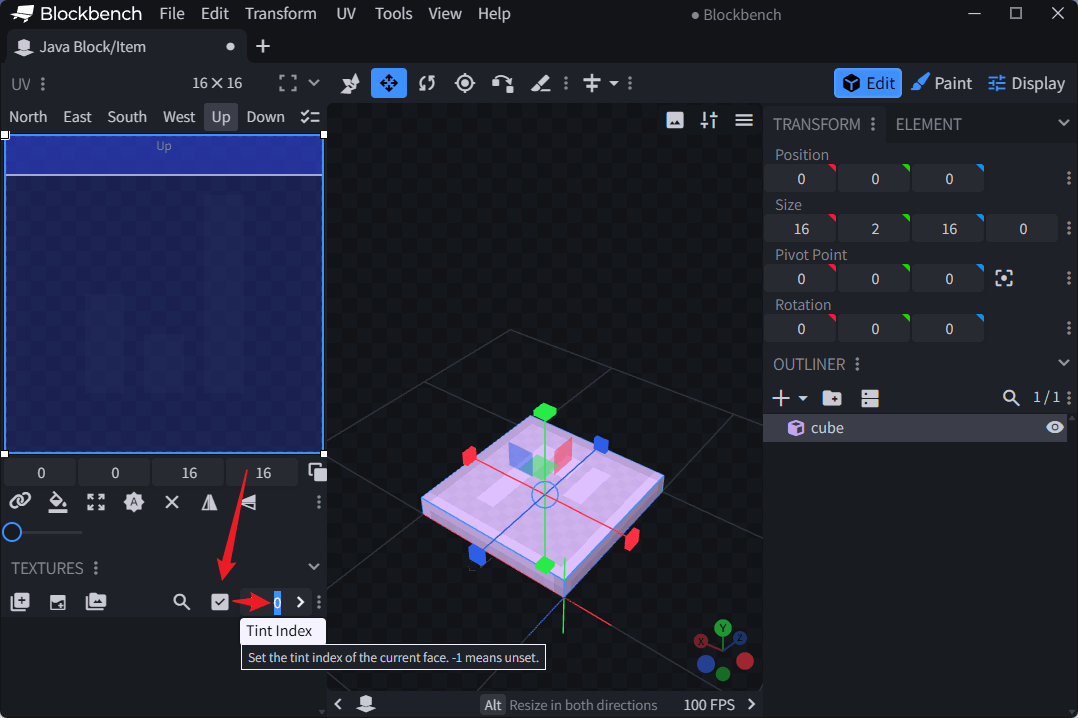
Select the element you want to be tintable, then set the Tint Index for each face in the Elements panel.
-1or empty → face is NOT tinted, renders as-is0→ tinted by the first tint source1→ tinted by the second tint source
A typical setup: blade faces get 0, a gem gets 1, the handle gets nothing.
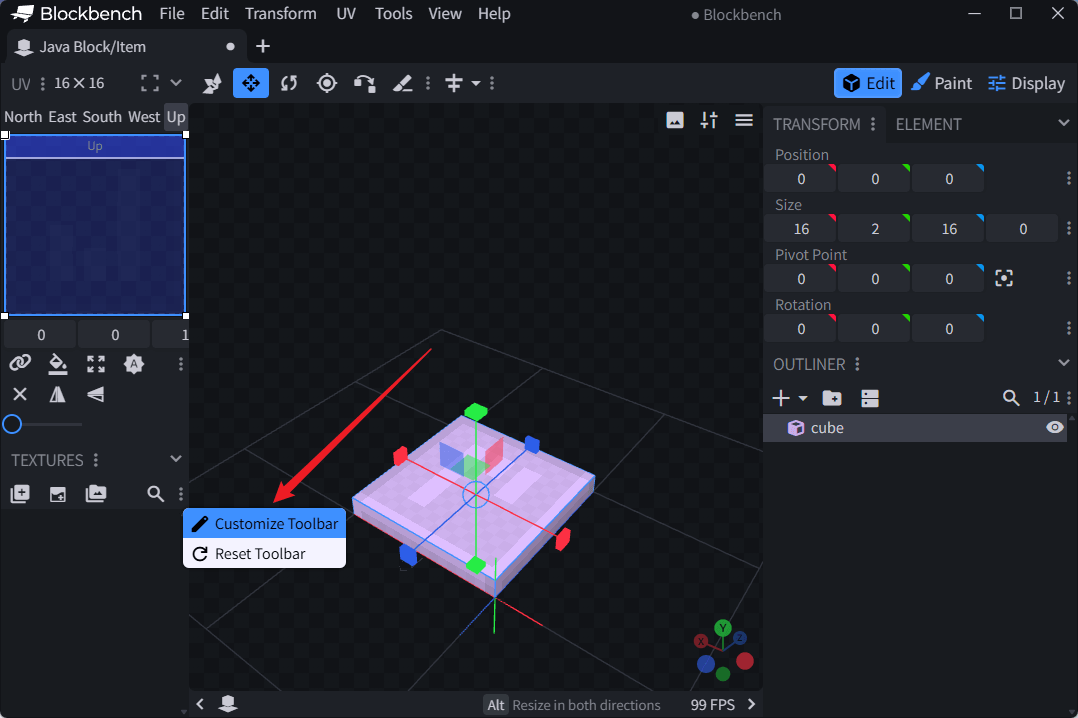
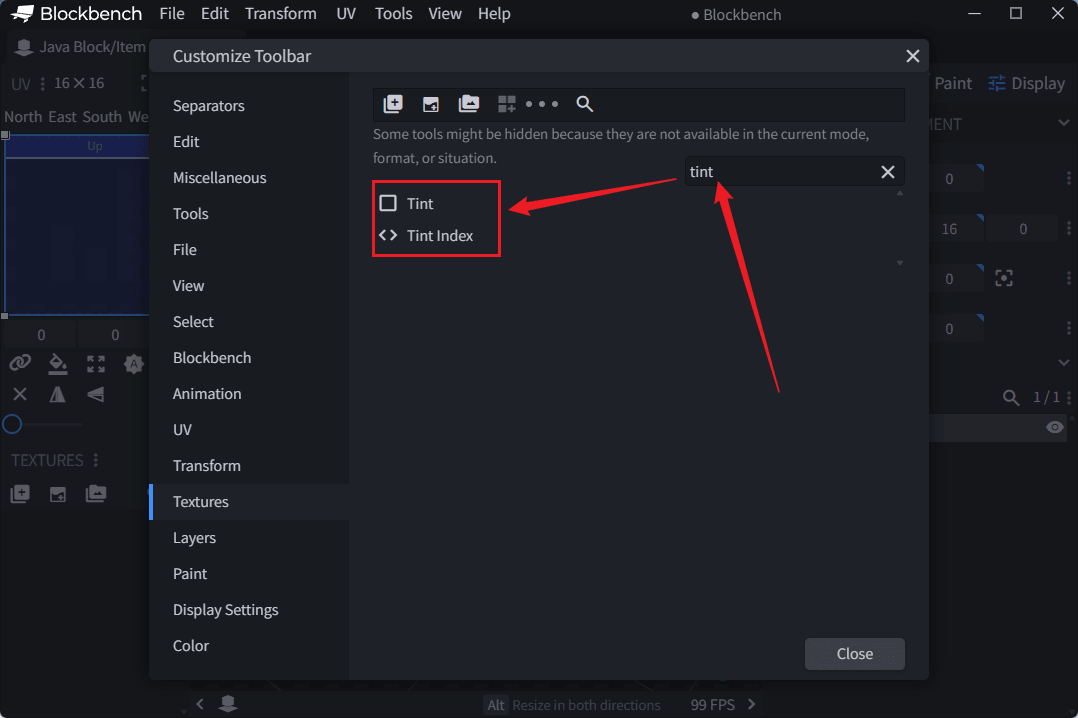
By default the Tint Index field may not be visible. Here's how to add it:
What it looks like in JSON
When you save your BlockBench model, the tintindex values you set end up in the model JSON. You don't need to write this by hand — just recognize what it looks like:
"north": {"uv": [6, 3, 8, 12], "texture": "#layer0", "tintindex": 0}
Each face that has a tintindex set in BlockBench gets a "tintindex" field in the JSON output. Faces without it simply omit the field.
Configuring tint sources
The tints: list is positional — index 0 matches tintindex: 0, index 1 matches tintindex: 1:
model:
  path: tutorial:item/magic_sword
  tints:
    - type: minecraft:constant
      value: 255,100,50     # → tintindex 0 → blade → orange
    - type: minecraft:dye
      default: 16777215      # → tintindex 1 → gem → player-dyed
Before 1.21.4, tintindex values were hardcoded by vanilla — and what each index meant depended entirely on which item was using it. Each item type had its own fixed mapping. You could not change or repurpose any index.
Since 1.21.4 with the items model definition system, tintindex is simply the position in the tints: list. Index 0 is whatever you put first, index 1 is whatever you put second. No hardcoded meanings.
If your pack targets pre-1.21.4 clients, stick to the vanilla hardcoded mapping. If you target 1.21.4+, order your tints: list however you want.
Example: dyeable sword
A sword whose blade changes color based on the minecraft:dyed_color component:
items:
  tutorial:dyeable_sword:
    material: golden_sword
    model:
      path: tutorial:item/sword_blade
      tints:
        - type: minecraft:dye
          default: 16777215