🗄️ Drawer Block
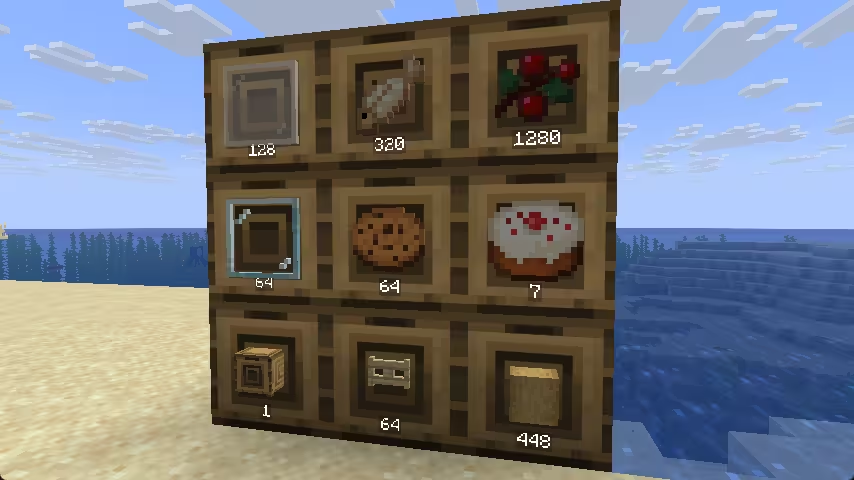
Drawer Block is a storage container that holds a single type of item in bulk. It remembers which item was first put in and only accepts that same item thereafter.
- Left-click to take one item; sneak + left-click to take a full stack.
- Right-click to put the held stack in.
- Double right-click (within 0.5s) to deposit all matching items from your inventory at once.
Properties
The optional facing property lets the drawer face a specific direction, so the displayed item model can rotate to match.
| Property Name | Property Type | Required |
|---|---|---|
| facing | direction | no |
Example
blocks:
  default:drawer_block:
    behavior:
      type: drawer_block
      max_stacks: 20                    # max item-stacks the drawer can hold (default 32)
      has_signal: true                  # whether it outputs a comparator signal proportional to fill level (default true)
      allow_input: true                 # allow hopper to putt items into the drawer (default true)
      allow_output: true                # allow hopper to take items out of the drawer (default true)
      item_position: 0,0,-0.52          # display-item position offset (default 0.5,0.5,0.5)
      text_position: 0,-0.4,-0.52       # quantity-label position offset (default 0.5,0.5,0.5)
      item_scale: 0.6,0.6,0.6           # display-item scale (default 0.5,0.5,0.5)
      text_scale: 0.5,0.5,0.5           # quantity-label scale (default 0.5,0.5,0.5)
      data_key: "craftengine:drawer"    # NBT key used to persist drawer data (default "craftengine:drawer")
      compatible_mode: false            # compatibility mode with other storage plugins (default false)
      sounds:
        put: minecraft:block.decorated_pot.insert       # sound played when items are put in (optional)
        take: minecraft:block.decorated_pot.insert_fail  # sound played when items are taken out (optional)
info
The comparator signal ranges from 0 to 15, proportional to how full the drawer is — empty = 0, completely full = 15. Set has_signal: false to disable it.