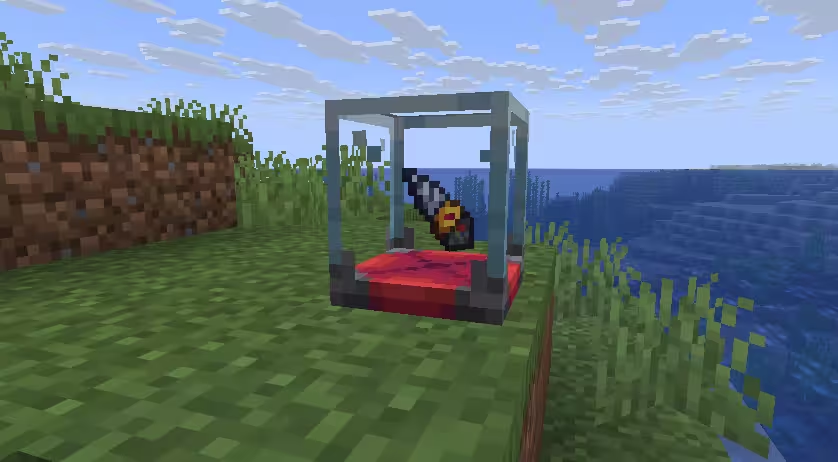
📷 Display Item Furniture
Display Item Furniture lets players right-click to place or take an item displayed on a piece of furniture. Each variant can define its own display position, and multiple behaviors can be combined for multi-slot displays.
Example
furniture:
  default:showcase:
    behavior:
      type: display_item_furniture
      data_key: "craftengine:display_item"   # NBT key for persistent data (value shown is the default)
      sounds:
        put: minecraft:block.decorated_pot.insert       # sound when inserting an item (optional)
        take: minecraft:block.decorated_pot.insert_fail # sound when removing an item (optional)
      variants:
        ground:
          item_position: 0,0.07,0                       # where the displayed item appears, per variant
Multiple Display Slots
To create several independent display slots on a single piece of furniture, add multiple display_item_furniture behaviors, each with its own data_key:
furniture:
  default:double_showcase:
    behaviors:
      - type: display_item_furniture
        data_key: "craftengine:display_item_left"   # unique key per slot
        sounds:
          put: minecraft:block.decorated_pot.insert
          take: minecraft:block.decorated_pot.insert_fail
        variants:
          ground:
            item_position: 0.4,0.6,0                # left slot display position
            hitboxes:
              - type: interaction
                position: 0.4,0.6,0
                width: 0.5
                height: 0.5
                can_use_item_on: true
                interactive: true
      - type: display_item_furniture
        data_key: "craftengine:display_item_right"  # different key = independent storage
        sounds:
          put: minecraft:block.decorated_pot.insert
          take: minecraft:block.decorated_pot.insert_fail
        variants:
          ground:
            item_position: -0.4,0.6,0               # right slot display position
            hitboxes:
              - type: interaction
                position: -0.4,0.6,0
                width: 0.5
                height: 0.5
                can_use_item_on: true
                interactive: true
Each slot is a separate behavior instance — the data_key keeps their stored items independent, each with its own display position and interaction hitbox.