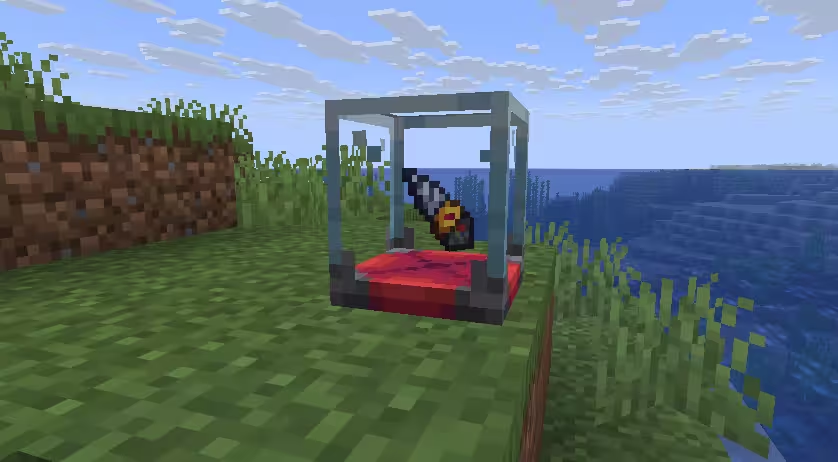
📷 物品展示家具
物品展示家具允许玩家右键家具,将物品放入展示槽或取回。每个变体可以定义自己的展示位置,也可以组合多个行为来实现多槽位展示。
示例
furniture:
  default:showcase:
    behavior:
      type: display_item_furniture
      data_key: "craftengine:display_item"              # 持久化数据的 NBT 键(默认为 "craftengine:display_item")
      sounds:
        put: minecraft:block.decorated_pot.insert       # 放入物品时的音效(可选)
        take: minecraft:block.decorated_pot.insert_fail # 取出物品时的音效(可选)
      variants:
        ground:
          item_position: 0,0.07,0                       # 物品展示实体出现的位置
多槽位展示
要在一件家具上创建多个独立的展示槽位,添加多个 display_item_furniture 行为,每个使用自己的 data_key:
furniture:
  default:double_showcase:
    behaviors:
      - type: display_item_furniture
        data_key: "craftengine:display_item_left"   # 每个槽位独立的数据键
        sounds:
          put: minecraft:block.decorated_pot.insert
          take: minecraft:block.decorated_pot.insert_fail
        variants:
          ground:
            item_position: 0.4,0.6,0                # 左侧槽位展示位置
            hitboxes:
              - type: interaction
                position: 0.4,0.6,0
                width: 0.5
                height: 0.5
                can_use_item_on: true
                interactive: true
      - type: display_item_furniture
        data_key: "craftengine:display_item_right"  # 不同的键 = 独立存储
        sounds:
          put: minecraft:block.decorated_pot.insert
          take: minecraft:block.decorated_pot.insert_fail
        variants:
          ground:
            item_position: -0.4,0.6,0               # 右侧槽位展示位置
            hitboxes:
              - type: interaction
                position: -0.4,0.6,0
                width: 0.5
                height: 0.5
                can_use_item_on: true
                interactive: true
每个槽位都是独立的家具行为。通过配置 data_key 可以避免各槽位的存储互相干扰,每个槽位也拥有独立的展示位置和碰撞箱。